The launch of a new graphics card always gets my adrenaline pumping, and the recent unveiling of Nvidia’s RTX 5080 with DLSS 4 technology—using AI to enhance visuals and frame rates beyond previous limits—took that excitement to another level. But one quick look at my aging gaming PC gave me pause.
My trusty RTX 3080 had served me faithfully for years, delivering a smooth 60 fps in 4K with max settings across my favorite titles. Sadly, that golden era didn’t last. Performance gradually slipped to around 30 fps, forcing me to lower settings. As someone who lives to appreciate the full artistic vision in games, that was hard to swallow. The artists poured their souls into these worlds—I wanted to experience them as intended. But was my rig even up to the task?
As it turns out, the Nvidia GeForce RTX 5080 does run in my older build. I even had a 1000-watt power supply ready to handle the switch from the RTX 3080.
Still, the installation process wasn’t smooth. My setup was far from ideal, and raw performance felt… underwhelming. However, despite those hurdles—and my reservations about DLSS 4—the multi-frame generation feature made a huge impact. It might be the feature that finally wins me over.
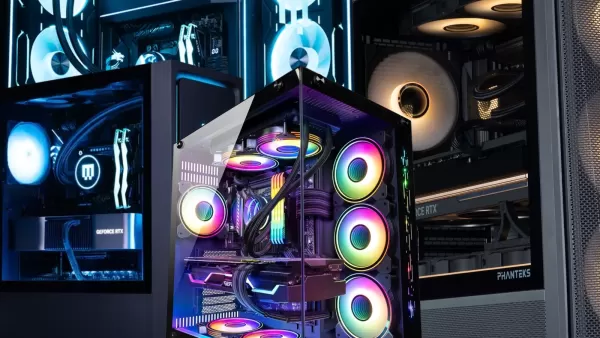
Installing the RTX 5080 – Four Hours In
Calling it a grandpa-build might be a bit dramatic. Under the hood, my system packs an AMD Ryzen 7 5800X, 32GB of RAM, and a Gigabyte X570 Aorus Master motherboard (a detail that becomes important later). Swapping a graphics card is usually one of the easier upgrades in a custom PC—or so I thought. Pride comes before a fall.
I mistakenly believed the same PCIe 8-pin cables that powered my RTX 3080 would work with the RTX 5080, so I plugged two of them into two of the three power adapters. Deep down, I knew it probably wouldn't work—but I was hoping to cut corners. When I fired up the PC, the RTX 5080’s LEDs remained dark. Ugh.
By this point, my computer was already open and disassembled. With little choice, I searched for where to buy PCIe 12-pin cables and, to my shock, saw a delivery option through DoorDash. Yes, I actually DoorDashed a set of 600-watt Corsair PCIe Gen 5 Type 4 cables from an out-of-state Best Buy. Total cost? $44. When you crave power, you do what it takes.
An hour later, the cables arrived. I raced upstairs, hooked everything up, and voilà—the GPU flickered to life, sort of. The monitors stayed blank, though, and a red VGA indicator lit up on my motherboard. Another hour of troubleshooting revealed the real issue: the X570 Aorus Master’s chipset fan is surprisingly bulky, and the RTX 5080 is no lightweight either. The graphics card couldn’t seat fully into the PCIe x16 slot because the motherboard's oversized fan was blocking it. No matter how hard I pushed, it wouldn’t click into place. Sigh.
In the end, I had to settle for installing one of Nvidia’s best current GPUs—the GeForce RTX 5080—into a mere PCIe x8 slot. So, between the older CPU and the downgraded slot, how did performance hold up?

RTX 5080 Performance on My Aging Build
After running a total of 30 benchmarks across five different games, the RTX 5080 delivered middling raw performance on my system. But with DLSS 4 turned on, I witnessed the impressive numbers Nvidia promised. While I prefer to experience games exactly as the artists designed them, DLSS 4 muddies that ideal. For older builds like mine, it might be the only viable path forward.
For those unfamiliar, DLSS 4 is a super sampling technology that boosts performance and sharpens image quality. What sets RTX 50-series cards apart is Multi Frame Generation, where AI generates up to three extra frames for every true frame. This only works in supported titles, though some compatible games may not enable Multi Frame Generation by default—thankfully, you can override this in the Nvidia app.
Armed with the RTX 5080, I took on Monster Hunter Wilds as my first test. This notoriously unoptimized game exposed the limits of my RTX 3080. Now, it was time for payback. At 4K, Ultra preset, and RT High settings, my system struggled to hit 60 fps. With DLSS off, it peaked at 51 fps. Switching to DLAA (native resolution) and enabling regular frame generation (2x) boosted that to 74 fps. As someone who just wanted max settings above 60 fps in Monster Hunter Wilds, I considered the boss defeated. For anyone craving even more, Ultra Performance mode delivered 124 fps. (Note: Multi-frame Generation (4x) doesn’t work natively in the Nvidia app at this time, though users have discovered a workaround.)
Exploring the Living Lands in Avowed used to mean sacrificing half the settings to approach 60 fps. And now? Well, the struggle continues. With Ultra settings, 4K, and RT enabled—DLSS off—my PC chugged along at 35 fps. The deities of Eora mocked me and my $1,000+ GPU. Then I activated DLAA with Multi Frame Generation and sliced through a camp of Xaurips at a smooth 113 fps. That’s a 223% jump in frame rate—a number that genuinely stunned me. DLSS Ultra Performance literally doubled that result.
If you thought Avowed was tough on hardware, Oblivion: Remastered takes it to another level. This updated classic from nearly two decades ago gave even my RTX 5080 a run for its money. At Ultra, 4K, RT Ultra, and DLSS off, my frame rate plummeted to 20 fps descending the mountains near Bryma. It sometimes flickered up to 40 fps, averaging around 30 fps—just like the original Oblivion launch. But switching to DLAA with Multi Frame Generation pushed performance to 95 fps. In Ultra Performance mode, I reached 172 fps. Those Daedra never stood a chance.
Marvel Rivals was one title that never gave me trouble—props to NetEase for optimization. Still, in a competitive game like this, every frame and millisecond matters. As a Magik main, timing my dash perfectly is critical. I tested both fps and latency. At Ultra, 4K, and DLSS off, the RTX 5080 managed 65 fps with 45ms latency in an Umbral Incursion match. Switching to Native resolution with Multi Frame Generation bumped fps to 182, but latency increased to 50ms—the highest among my seven tests. The best balance came from Performance mode with standard frame generation (2x): 189 fps and just 28ms latency, matching non-frame-generation responsiveness. I won’t say DLSS 4 earned my Eldritch Armor Magik an MVP spot, but I’m certainly not ruling it out.
I saved Black Myth Wukong for last, since I only used its built-in benchmark tool—which limited me to standard frame generation. Still, the numbers were solid. At Cinematic settings, 4K, DLSS 40%, and RT Very High, the RTX 5080 managed 42 fps. Enabling frame generation boosted that to 69 fps—a solid result, and more than enough to enjoy the game (which, as a fan of simulated suffering, I fully intend to play). Multi-frame Generation would roughly double the frame gains. So, given my hardware, if frame generation added 27 fps on a 2x setting, 4x could theoretically push the total to around 123 fps.
To be honest, relying solely on the GPU’s raw performance left me disheartened. The results reflect both my dated components and the fact that RTX 50-series didn’t deliver a massive leap in pure performance this generation. Even so, DLSS 4 fundamentally changed my gaming experience.
Your Current PC Can Handle a New GPU
That said, leaning on DLSS 4 and Multi-Frame Generation comes with caveats. The software is essentially inventing visual details that weren’t originally there, and the tech isn't flawless. Whether wandering Cyrodiil or the Living Lands, I noticed slight fuzziness in environmental textures and occasional artifacts in inventory screens. DLSS 4 isn’t magic—you trade off some raw fidelity for higher frame rates and an optimized visual experience that can either enhance or mimic the real thing. It’s a lifesaver for poorly optimized ports, but I still hope developers won’t depend on it to fix performance issues.
Still, if you remember one thing from my experience, let it be this: a new GPU can deliver impressive results, even in a less-than-ideal setup. I’ll admit—I considered prying off my motherboard fan just to fit the RTX 5080 into the PCIe x16 slot. But after seeing what DLSS 4 accomplished under these constraints, it hardly felt necessary.
So no, you don’t need to replace your entire system to benefit from a new graphics card. You might need a stronger power supply (the RTX 5080 demands 850W) and compatible power cables (like I did), but that’s it. GPUs are pricey and often hard to find, so don’t rush to fill your Newegg cart with all-new parts. Chances are, your current setup is just fine.
I’m not sure how much longer my current build will hold up before a full PC upgrade becomes unavoidable, but I’m convinced DLSS 4 and Multi-Frame Generation bought me at least seven more minutes to greet Wesker.