WhatsApp Business is WhatsApp's official business app. Completely separate from the standard WhatsApp, it allows simultaneous use with a personal account, even on the same device with dual SIM cards.
Customize Your Business Profile
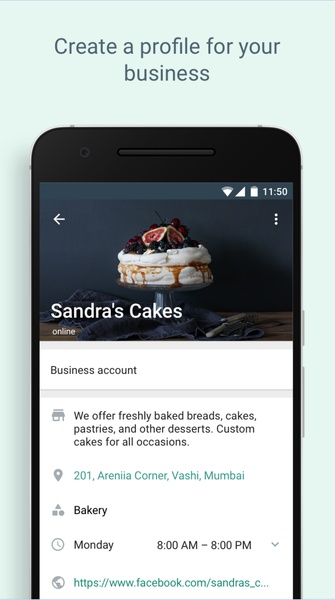
To create your WhatsApp Business profile, use your business phone number (unlinked from any existing WhatsApp account). Add your company name and logo, mindful of the circular profile picture format for optimal branding.
Add All Your Business Information
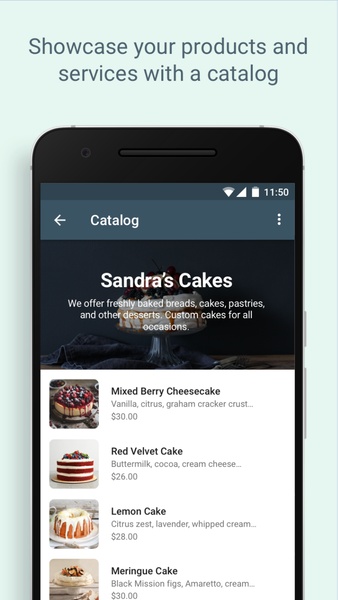
Comprehensive business information enhances customer communication. Include operating hours, website address, physical address (if applicable), and other relevant details. Preemptively providing information minimizes repetitive answers. Like Google My Business, you can even add a product catalog.
Automate Messages to Improve Your Service
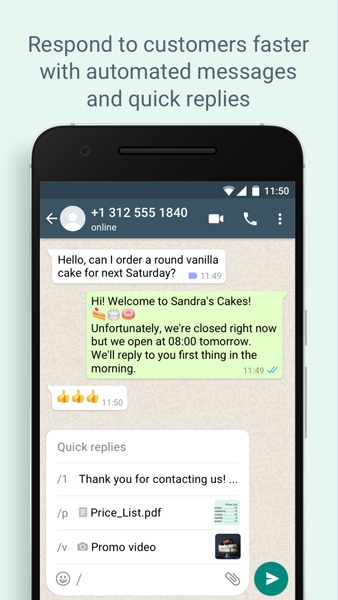
WhatsApp Business's automation features are a key benefit. Set up automated welcome messages and out-of-hours responses to improve customer experience and efficiency. Customize automation to suit your needs.
Enjoy All the Features of WhatsApp and More
Built on the same framework as WhatsApp, WhatsApp Business offers all standard features: photos, videos, audio messages, stickers, status updates, blocking, group chats, and video calls.
Get the Best Messaging Client for Professionals
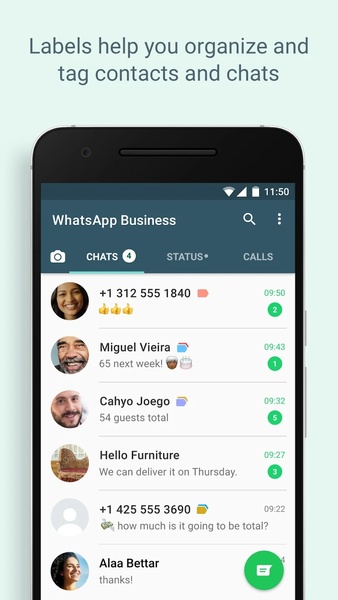
WhatsApp Business is ideal for small and medium-sized businesses needing efficient, convenient communication management. Access chats from any PC or Mac via the web version.
Requirements (Latest version)
Android 5.0 or higher required
Frequently Asked Questions
- Is WhatsApp Business free? Yes, WhatsApp Business is free. Additional services enhance business-customer communication.
- What's the difference between WhatsApp and WhatsApp Business? WhatsApp Business displays business information and catalogs to streamline customer communication.
- What can't I do with WhatsApp Business? You can't combine personal and business WhatsApp accounts. WhatsApp recommends using a separate SIM card for your business account.
- How much does WhatsApp Business cost? WhatsApp Business is free.
- How do I set up WhatsApp Business? Go to Settings, select "WhatsApp Business Conditions," and tap "Accept." Then, fill in your company details and customize your profile.
- How do I use the WhatsApp Business API? Access the WhatsApp Business API after signing up for a plan through a chosen partner. Costs apply, similar to other integrated tools like CRMs or Live Chat.
- What is the file size of the WhatsApp Business APK? Approximately 40 MB.