Optimize Your Marvel Rivals Gameplay: A Guide to the Best Settings
Marvel Rivals delivers thrilling battles, iconic heroes, and stunning visuals. While well-optimized, fine-tuning your settings can significantly enhance gameplay fluidity and control. This guide details optimal display, graphics, and audio settings to maximize your hardware's potential and unleash your inner superhero.
Note: Settings not explicitly mentioned (Binds, Accessibility, Social) are subject to personal preference.
Marvel Rivals: Optimal Display Settings
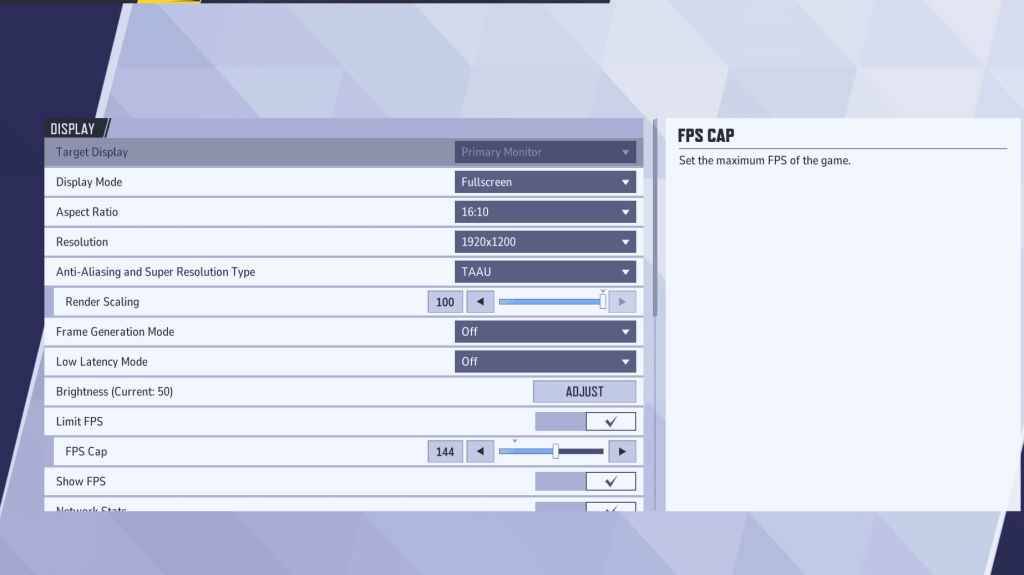
Begin with the fundamentals: display settings. Fullscreen mode is recommended for competitive play, dedicating all system resources to the game for maximum FPS and minimal distractions. Borderless Windowed mode offers multitasking convenience but may slightly reduce FPS and introduce input lag.
| Setting | Description | Best Setting |
|---|---|---|
| Display Mode | How the game is displayed. | Fullscreen (prioritizes performance); Borderless Windowed (allows multitasking) |
| Resolution | Game resolution. | Monitor's Native Resolution |
| Aspect Ratio | Game's width-to-height ratio. | Monitor's Native Aspect Ratio |
| Anti-aliasing & Super Resolution | Anti-aliasing and resolution scaling technologies. | Experiment to find optimal balance between visuals and performance. |
| Frame Generation | Frame generation technology. | Off |
| Low Latency Mode | Reduces input lag (Nvidia GPUs only). | On + Boost (if available) |
| V-Sync | Synchronizes frame rate with monitor refresh rate. May introduce input lag. | Off |
| Limit FPS | Caps maximum frame rate. | Monitor's Refresh Rate |
| Show FPS | Displays FPS on-screen. | On |
| Network Stats | Displays network statistics. | On |
Marvel Rivals: Optimal Graphics Settings
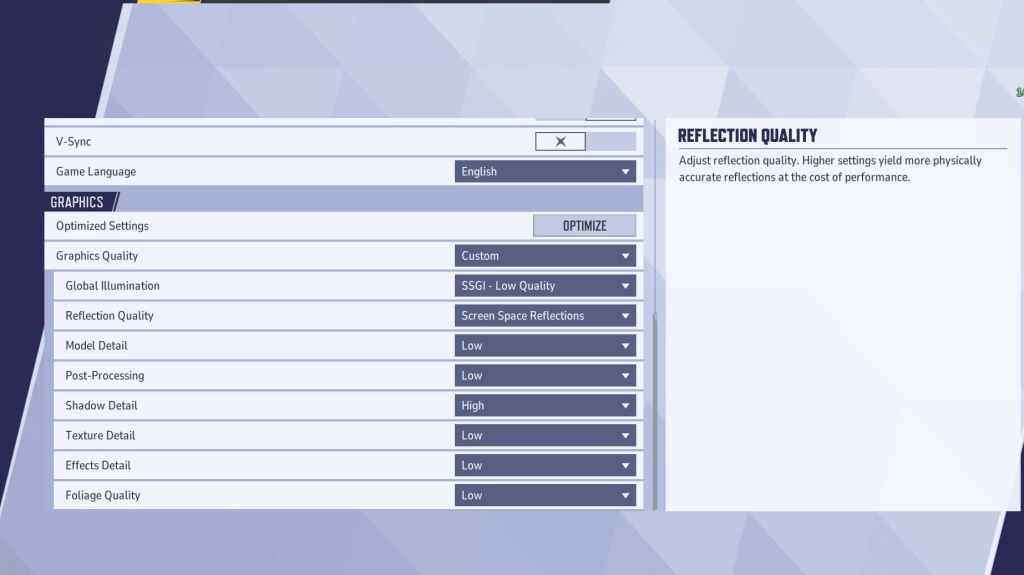
Graphics settings heavily influence performance. Prioritize performance over visual fidelity for competitive play, setting most to Low for smoother, more responsive gameplay. High-end PCs can experiment with Medium or High settings for enhanced visuals.
| Setting | Description | Best Setting |
|---|---|---|
| Graphics Quality | Preset adjusting multiple visual settings. | Custom |
| Global Illumination | Simulates light bouncing; impacts performance. | SSGI – Low Quality |
| Reflection Quality | Clarity and realism of reflections. | Screen Space Reflections |
| Model Detail | Complexity and realism of models. | Low |
| Post-Processing | Adds visual effects (motion blur, depth of field). | Low |
| Shadow Detail | Sharpness and quality of shadows. | High |
| Texture Detail | Resolution of in-game textures. | Low |
| Effects Detail | Quality of visual effects (explosions, abilities). | Low |
| Foliage Quality | Density and detail of environmental elements. | Low |
Disable mouse acceleration in both the game and Windows settings for improved aiming precision.
Marvel Rivals: Optimal Audio Settings
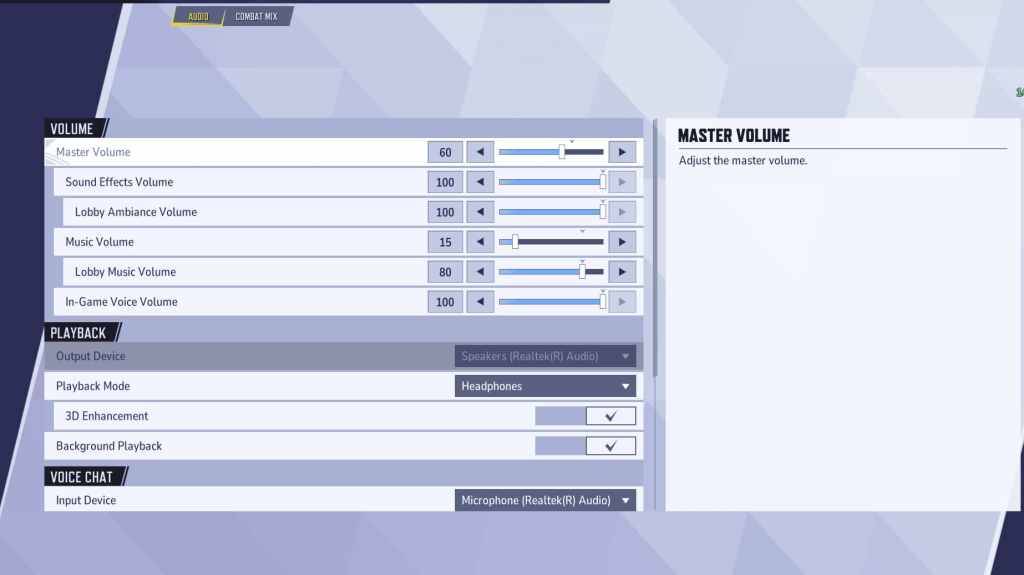
Audio significantly impacts gameplay. Enable 3D Enhancement for enhanced spatial sound, improving enemy location awareness. Use HRTF (if available) for further audio cue precision. Adjust volume levels to your preference.
This comprehensive guide helps you optimize Marvel Rivals settings for peak performance and a competitive edge. Remember to experiment and find the perfect balance between visual quality and gameplay responsiveness.