
Keeper Password Manager: Your Ultimate Digital Fortress
Safeguard your sensitive data, from passwords to payment cards, with Keeper, your personal digital vault. Employing robust encryption and supporting two-factor authentication, Keeper provides impenetrable protection against cyber threats. Effortlessly share passwords with others and receive instant alerts if your data is compromised. Seamlessly switch between multiple accounts and access your information across all your devices. Trusted by millions globally and lauded by top publications, Keeper is the premier password manager. Take control of your online security with Keeper and shield your personal information from prying eyes. Download the app now for unparalleled peace of mind.
Key Features of Keeper Password Manager:
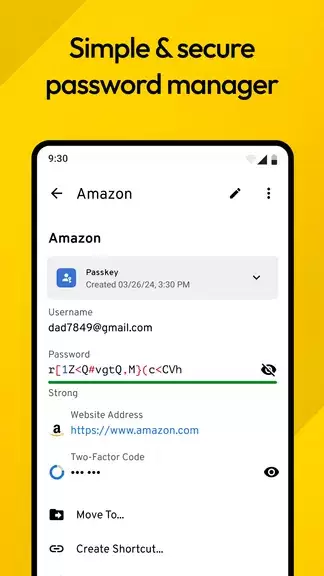
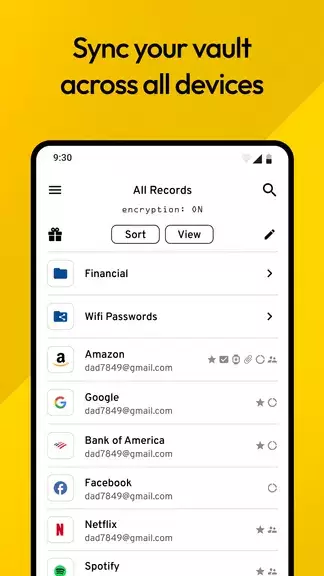
- Unbreakable Digital Vault: Securely store an unlimited number of passwords, passkeys, sensitive files, payment cards, and more within Keeper's encrypted digital vault.
- Effortless Cross-Device Access: Access your password vault from an unlimited number of mobile devices, tablets, and computers.
- Unwavering Two-Factor Authentication: Keeper supports 2FA for your vault and securely stores and protects TOTP codes for automated two-factor code entry on other websites and apps.
- Proactive Dark Web Monitoring: Maintain password security with BreachWatch, which continuously monitors the dark web for compromised accounts and passwords.
Frequently Asked Questions (FAQs):
- Can I share passwords with others using Keeper? Yes, share passwords with other Keeper users or utilize the "One-Time Share" feature.
- Can I import my passwords from other password managers? Yes, easily import passwords from iCloud Keychain, Google Chrome, Dashlane, and many more.
In Conclusion:
Keeper Password Manager is a highly secure and versatile application offering a robust digital vault, cross-device accessibility, two-factor authentication, and comprehensive dark web monitoring. Its strong encryption and intuitive interface provide unparalleled peace of mind for managing and protecting your passwords and sensitive information. Download the Keeper app today to ensure the security of your online accounts and personal data.