Google Docs: Effortless Document Creation and Collaboration on Android
Google Docs empowers Android users to seamlessly create, edit, and collaborate on documents. Real-time sharing facilitates enhanced productivity for individuals and teams.

Key Capabilities:
- Effortless document creation and modification.
- Simultaneous collaborative editing.
- Offline access for uninterrupted workflow.
- Integrated commenting for streamlined discussions.
- Automatic saving prevents data loss.
- Direct web searches and Drive file access within the app.
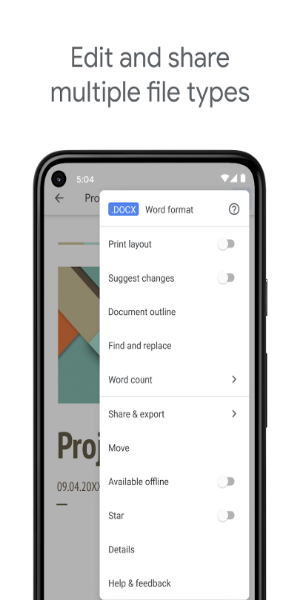
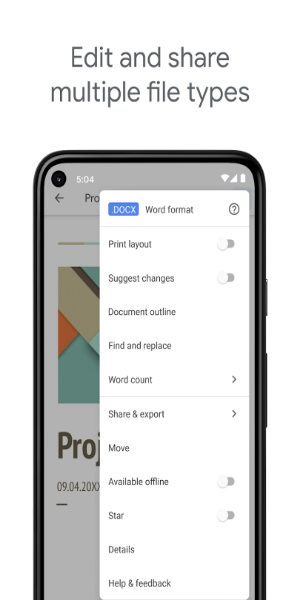
- Seamless compatibility with Word documents and PDFs.
Core Features Detailed:
-
Intuitive Document Management: Creating and editing documents is remarkably simple, whether you're writing reports, essays, or collaborating on projects. Integration with Google Drive ensures easy file organization.
-
Real-Time Collaboration: Multiple users can concurrently edit a single document, eliminating the need for email exchanges. This real-time collaboration significantly improves workflow efficiency.
-
Offline Functionality: Continue working even without an internet connection. Offline editing ensures productivity remains consistent regardless of location. Commenting remains active, allowing for continued team communication.

-
Automatic Saving: The automatic save feature eliminates the anxiety of accidental data loss, allowing for focused work.
-
Integrated Search and File Support: In addition to robust editing tools, Google Docs provides integrated web and Google Drive search capabilities. Broad file format support, including Microsoft Word and PDF, enhances versatility.
-
Enhanced Google Workspace Integration: Google Workspace subscribers gain access to advanced features, such as enhanced collaboration tools, unlimited version history, and seamless cross-device functionality.
Google Docs' comprehensive feature set, seamless integration with other Google services, and cross-platform compatibility make it an indispensable tool for boosting productivity and collaboration.
Version 1.24.232.00.90 Updates:
Bug fixes and performance improvements.